Meter reading process:
This document will outline the purpose and process of using the tablet for meter readings.
Who's responsible:
Maintenance are responsible for the tablet and photographing each meter’s reading at the end of each month and uploading the photographs into a monthly folder which has sub folders for Electricity, Gas and Water.
Purpose of the tablet:
To photograph utility meters and upload the photos on a shared drive.
Who will be viewing the information:
Maintenance and Finance
How long will the images be held for:
2 Financial years
IT's responsibility:
Understanding the project brief / process for when the tablet goes wrong so we can fix the issue.
WiFi Passwords
Breock
Network Name: THEVILLAGE
Password: windywalks
Ervan
Network Name: THEVILLAGE
Password: windywalks
Merryn
Network Name: THEVILLAGE
Password: windywalks
Tudy
Network Name: THEVILLAGE
Password: windywalks
Dove:
Network Name: DOVECOTTAGE
Password: welovecornwall
Clipper:
Network Name: SKY6FC7D
Password: VWSYYSDP
OneDrive
We are using OneDrive which is linked to Maintenance@ to upload the photos into the cloud so Marie from Finance can submit the reading with proof to the companies.
Link to shared drive:
How to use the OneDrive App
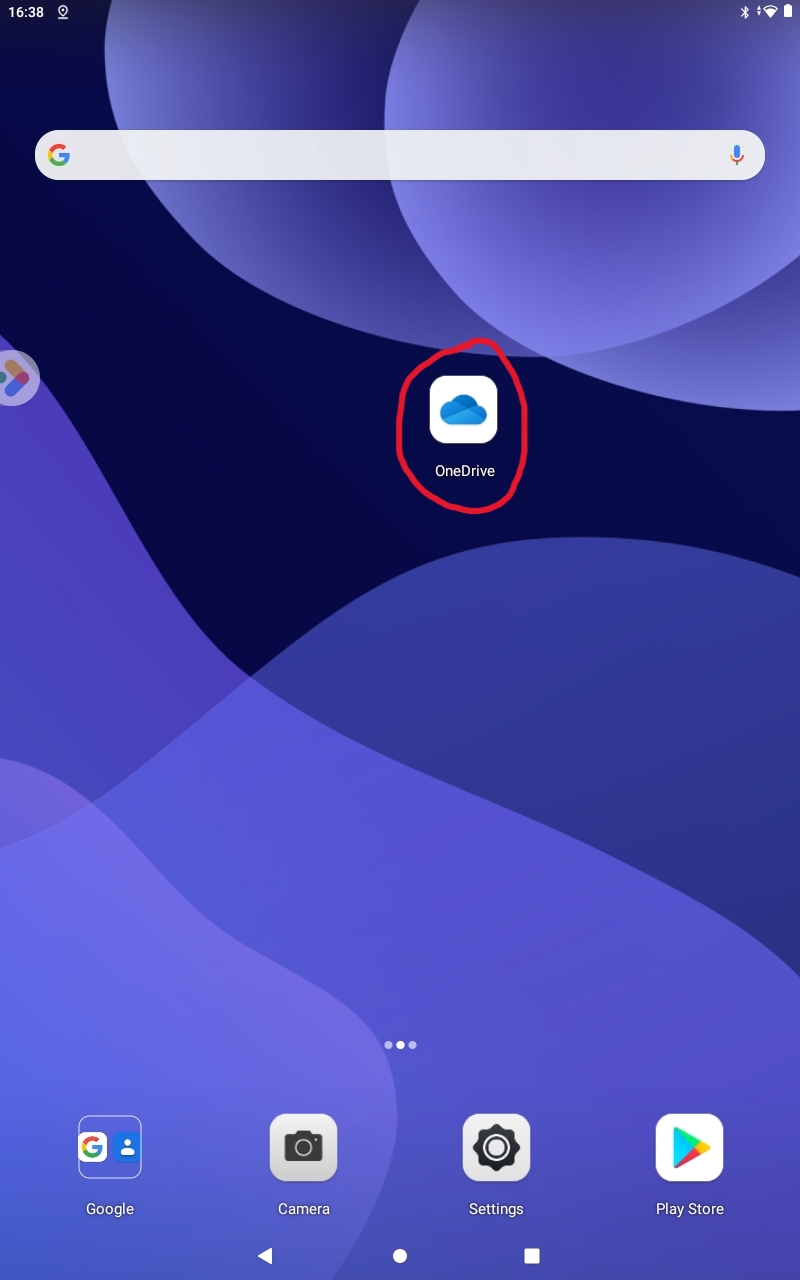
- Open the app from the home page:
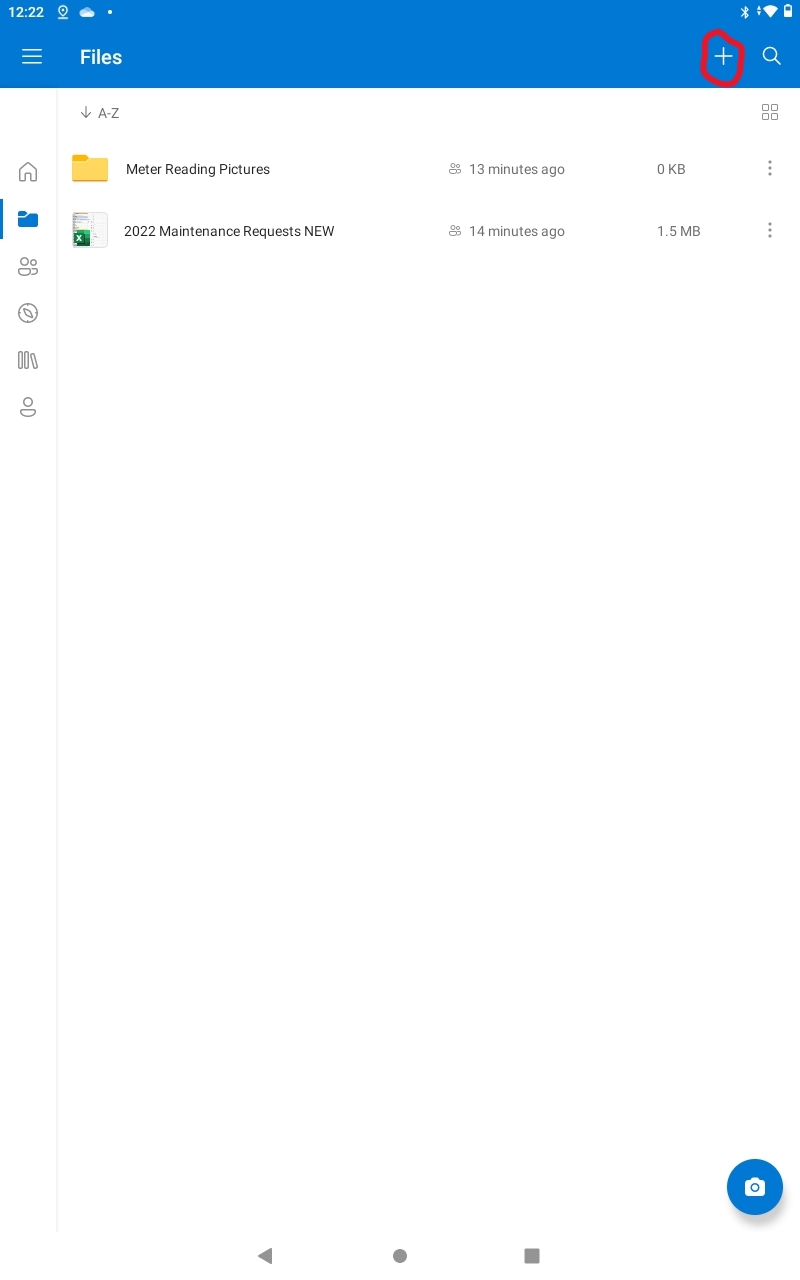
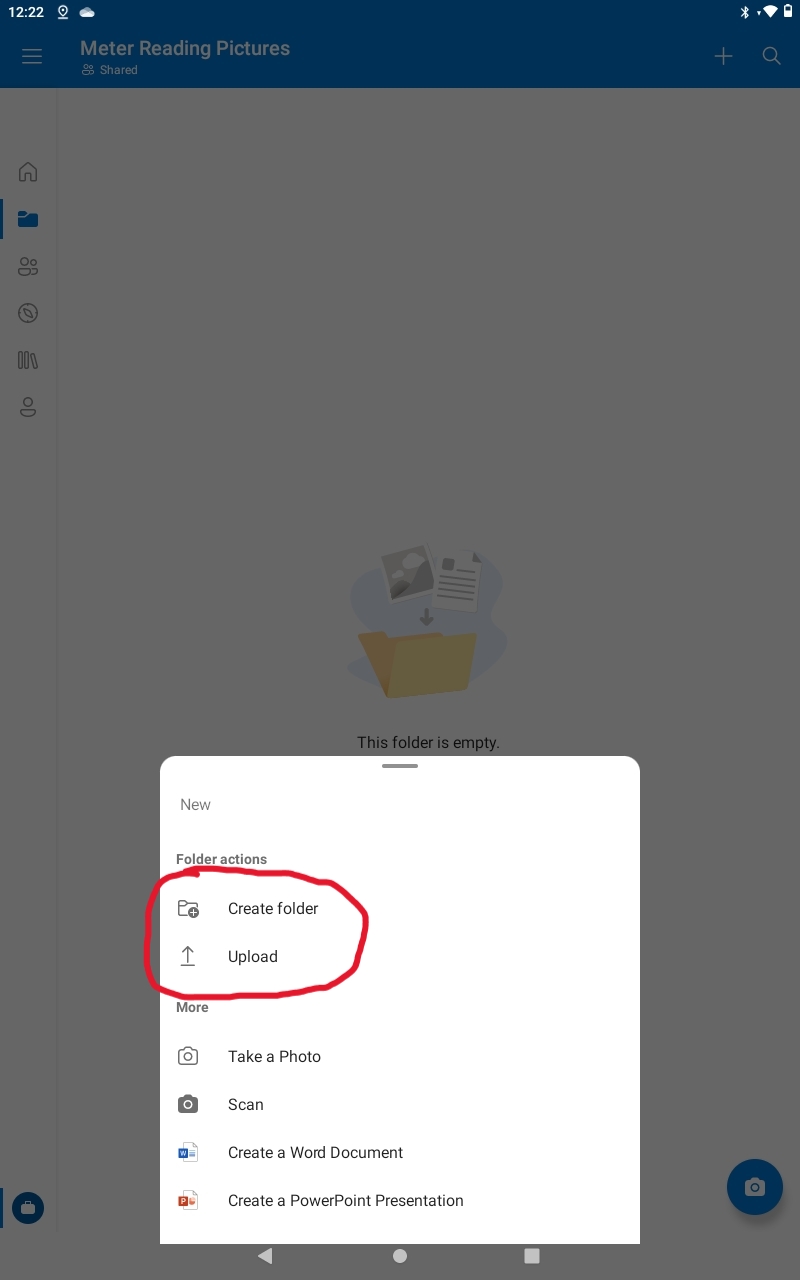
- By pressing the + icon from the top right you can either create a new folder, upload an image / document or take a picture.
- NOTE: When offsite take the pictures locally on the tablet and then once you have an active internet connection choose the UPLOAD option to upload the recently taken pictures to ONE DRIVE.